



🏁 How to Download Vehicle RC Online from Vahan Portal | Step-by-Step Guide (2025)
🏁 How to Download Vehicle RC Online from Vahan Portal | Step-by-Step Guide (2025)
How to Download Vehicle RC Online from Vahan Portal – Step-by-Step Guide (2025)
Meta Description:
Learn how to download your vehicle RC online using the official Vahan portal. Follow this step-by-step guide to get your registration certificate easily in 2025.
Introduction
The Ministry of Road Transport and Highways (MoRTH) has simplified vehicle documentation through the Vahan portal, allowing users to download their Vehicle Registration Certificate (RC) online. If you lost your RC or want a digital copy, this guide explains how to download RC from the official Vahan website or DigiLocker app with complete step-by-step details.
What is a Vehicle RC (Registration Certificate)?
A Vehicle Registration Certificate (RC) is a legal document that verifies your vehicle’s registration with the Government of India.
Details Included in an RC
- Vehicle Registration Number
- Owner’s Name and Address
- Engine and Chassis Number
- Vehicle Type, Model, and Fuel Type
- Registration Date and Validity
Without a valid RC, driving any vehicle is illegal in India.
What is Vahan Portal and Why is it Important?
The Vahan portal (parivahan.gov.in) is managed by MoRTH, connecting RTO offices across India. It provides multiple vehicle-related services digitally.
Services Offered by the Vahan Portal
- Download Vehicle RC
- Ownership Transfer
- Renewal of RC
- Check Insurance & Tax Details
- Apply for Fitness Certificate
- Access Driving License Services
Benefits of Downloading RC Online from Vahan Portal
- 24×7 Access: Download your RC anytime, anywhere.
- Government Verified: Digital RC is legally valid across India.
- No RTO Visit Required: Save time and avoid queues.
- Paperless & Secure: Store RC in DigiLocker or mParivahan.
- Instant Download: Get the document in minutes.
Step-by-Step Guide to Download Vehicle RC Online
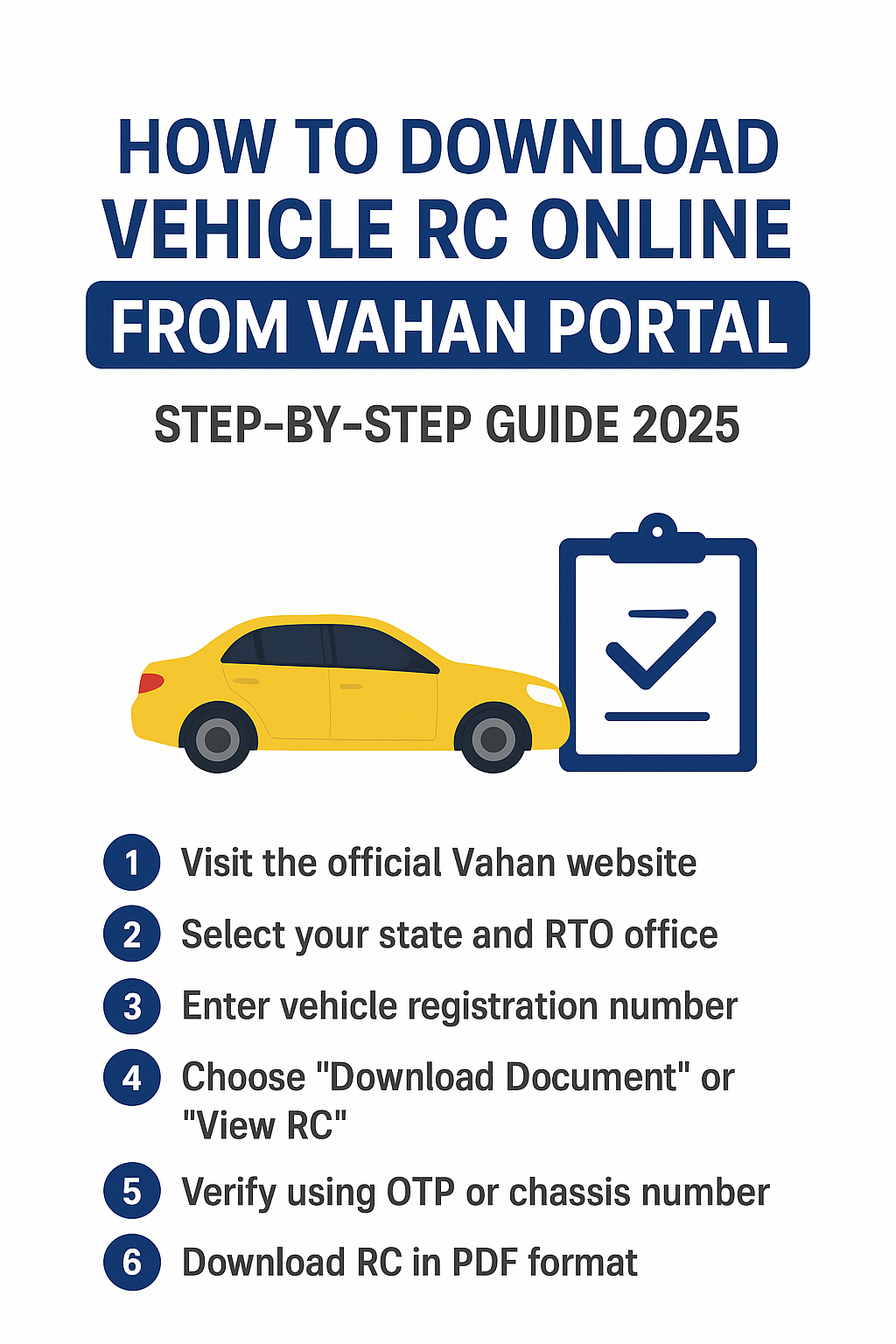
Step 1: Visit the Official Vahan Website
Go to https://parivahan.gov.in/. From the homepage click Online Services > Vehicle Related Services or directly choose the RC download option for your state.
Step 2: Select Your State and RTO Office
Choose your State and the RTO office where your vehicle is registered from the dropdown list, then click Proceed.
Step 3: Enter Vehicle Registration Number
Enter your vehicle registration number (example: WB12AB3456) and click Proceed. Make sure the format is correct.
Step 4: Choose “Download Document” or “View RC”
Select the option to Download Document or View RC from the available menu.
Step 5: Verify Using OTP or Chassis Number
Provide the required verification: usually the last 5 digits of chassis number and the registered mobile number. You will receive an OTP — enter it to verify.
Step 6: Download RC in PDF Format
After verification, the RC details will be shown. Click Download RC to save the document as a PDF, or choose to save it directly to DigiLocker.
Alternative Ways to Download RC Online (mParivahan & DigiLocker)
How to Use DigiLocker for RC
- Install the DigiLocker app (Android/iOS).
- Sign up using your mobile number and Aadhaar.
- Navigate to Ministry of Road Transport and Highways (MoRTH) > Registration of Vehicles.
- Enter your vehicle number and chassis number.
- Tap Get Document — DigiLocker will fetch and store the RC.
DigiLocker stores documents securely and is government-backed.
How to Use mParivahan App
mParivahan provides a mobile-friendly digital RC and driving license interface. Download the app, register with your mobile number, add your vehicle, and view/download the e-RC.
Documents & Details Required to Download RC
- Vehicle Registration Number
- Chassis Number (last 5 digits)
- Registered Mobile Number (for OTP)
- Aadhaar (if using DigiLocker)
Common Problems and Their Solutions
RC Not Found Error
If the portal returns “RC not found”, check the vehicle number format and state selection. Contact the RTO if the record is missing or recently updated.
OTP Not Received
If OTP doesn’t arrive, ensure the mobile number is the one registered with RTO. Try again after a few minutes; if still not received, contact your RTO to update the number.
Server Down or Slow
Government portals sometimes face high traffic. Try during off-peak hours or use DigiLocker/mParivahan as alternatives.
Safety Tips for Using the Vahan Portal
- Always use the official Parivahan website or official apps (DigiLocker, mParivahan).
- Never share OTPs with anyone.
- Keep your Aadhaar and mobile number secure.
- Verify the URL (should be
parivahan.gov.inor official app stores).
FAQs about RC Download
Can I download RC without visiting the RTO?
Yes. The Vahan portal and DigiLocker allow you to download a digital RC without visiting the RTO physically.
Is the digital RC valid like the physical one?
Yes. Digital RCs from Vahan, DigiLocker, or mParivahan are legally valid under Indian law.
Can I download RC for someone else’s vehicle?
Only if you have access to that vehicle’s registered mobile number or chassis details and necessary permissions.
Is Vahan portal safe for RC download?
Yes. Vahan is a government portal maintained by MoRTH. Use the official site/app only to avoid fraud.
Conclusion
Downloading your Vehicle Registration Certificate (RC) online from the Vahan portal or DigiLocker is fast, secure, and convenient. Follow the above steps carefully and store your RC digitally for easy access. Prefer official government platforms to avoid scams — and always keep your registered mobile number updated for OTP verification.
SEO Focus Keywords: Download RC Online, Vahan RC Download, Vehicle Registration Certificate, Parivahan RC Online, How to Download RC from Vahan, Vehicle RC Download 2025.
